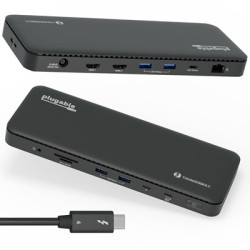
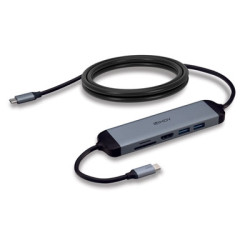
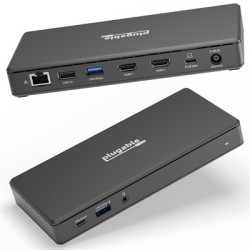
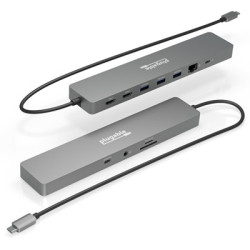
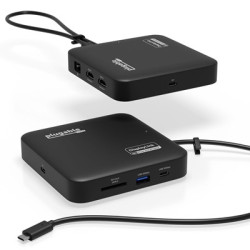
More Screens More Power Go big with up to 4x screens up to 4K 60Hz on Thunderbolt 4 Windows systems. With 7x USB SD / microSD slots Ethernet (2.5Gbps) audio and 100W PD to keep you charged your Windows laptop will have plenty to power your productivity
Quad Thunderbolt Dock Add up to 4x 4K 60Hz screens to a Windows Thunderbolt 4 laptop 2x HDMI 2x DisplayPort. Mac (Intel M1 / M2 / M3 Pro/Max CPU) connect up to 2x 4K 60Hz screens through HDMI DisplayPort or one of each. (Only one external screen on base M1 / M2 / M3 Mac)
100W Power Delivery Keep your laptop charged all day with 100W (98W certified) power delivery. And if your computer needs less power the docking station will automatically adjust. 2x USB ports can be used to charge peripherals like phones and tablets
Compatibility Compatible with Windows 10 or later and macOS 11+. This quad monitor dock connects to Thunderbolt 4 Thunderbolt 3 USB4 and USB-C via included Thunderbolt 4 cable (40Gbps 3.3ft/1m).
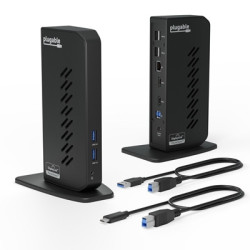
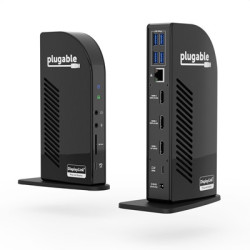
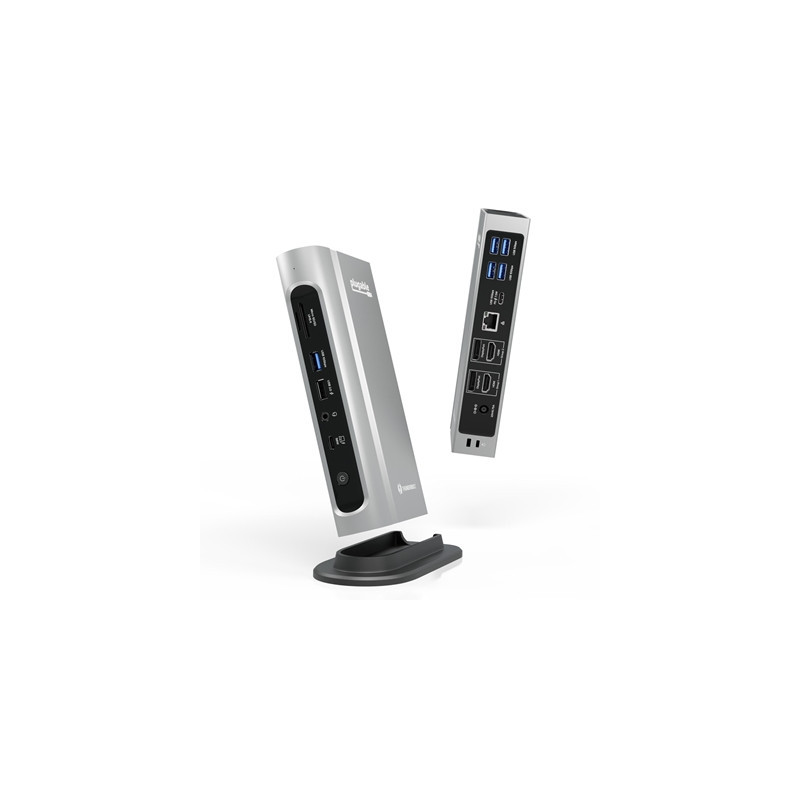
The Thunderbolt Certified 16-in-1 Quad docking station from Plugable delivers peak performance. The innovation starts with our display connections. Connect your 4K screens through 2x HDMI ports and 2x DisplayPort ports — a rare level of display flexibility in a Thunderbolt dock. But the real expansion picks up at the ports. Offering sixteen total ports to park your peripherals including 7x USB ports SD and microSD card readers Audio and 2.5Gbps Ethernet. It even adapts to your desk with an included stand for vertical or horizontal orientation options.
Quad Display With this Thunderbolt 4 docking station Windows computers can use the 2x HDMI ports and 2x DisplayPort ports to connect as many as 4x screens at up to 4K 60Hz. Can also be used a single dual or triple display docking station.
On Mac (Intel M1 / M2 / M3 Pro/Max CPU) extend your desktop to 2x screens using any combination of HDMI and/or DisplayPort. Macs with an M1 / M2 / M3 (base model non-Pro/Max) CPUs only support one external display.
Note: The USB-C port on the back of the dock supports data transfer only (no video output for USB-C/Thunderbolt displays).
Charge Up with 100W Power Delivery The laptop Thunderbolt docking station offers USB Power Delivery up to 100W (98W certified) — no more climbing under the desk to get plugged in.
Not all laptop docking stations handle power the same. With the TBT4-UDZ if your laptop needs less power the docking station adjusts and only sends the optimal wattage.
And with 6x available USB ports and one USB-C port your devices will always have a place to connect.
16 Ports to Power Productivity The complement of available ports on the TBT4-UDZ has you covered. From a convenient spot to plug in your phone to waving bye-bye to the spotty wifi with 2.5Gbps Ethernet.
Get connected with:
2x HDMI 2x DisplayPort 1x Thunderbolt 4 (to host) 1x USB-C (10Gbps) 3x USB (10Gbps) 2x USB (5Gbps) 1x USB 2.0 (charging) SD and microSD Card Slots Audio In/Out Gigabit Ethernet (2.5Gbps) For best results be sure to download the latest Ethernet drivers (which can be found on the Downloads tab of this page above). To reach 2.5Gbps speeds a 2.5Gbps Ethernet switch or 2.5Gbps network router is required.
Compatibility The TBT4-UDZ is compatible with *Windows 10 and later and **macOS 11+.
Get connected through Thunderbolt 4 Thunderbolt 3 USB4 and USB-C via included Thunderbolt 4 cable (40Gbps 3.3ft/1m).
Actual number of screens that can be extended depends on capabilities of the host computer. Be sure to see the Display Compatibility Chart below.
*On some Windows laptops enabling four displays may require a Windows settings change to disable the internal screen.
**On Macs additional monitors beyond specs below may not function and/or will “mirror” rather than extend.
Linux and Chrome are not supported at this time.
Specifications
Box Contents 1x Plugable TBT4-UDZ Thunderbolt 4 and USB4 Quad Display Dock with 98W Host Charging 1x Quick Start Guide 1x Power supply 1x Power cable 1x Vertical stand 1x 1.0m 40 Gbps Thunderbolt 4 Cable


 Security policy
 Delivery policy
 Return policy